E-Station — EV charging app
From finding a station to managing the charge — in one app. We built Android and iOS apps for E-Station.
- Duration
- 6 weeks
- Team
- 6
- Year
- 2025
- Industry
- EV charging
- Android app development
- iOS app development
Results in numbers
- 2
- Mobile platform — Android and iOS
The challenge
E-Station is a mobile app that lets EV drivers find a charging station, view tariffs and manage the charging process. The TRIVEX team built the Android and iOS apps.
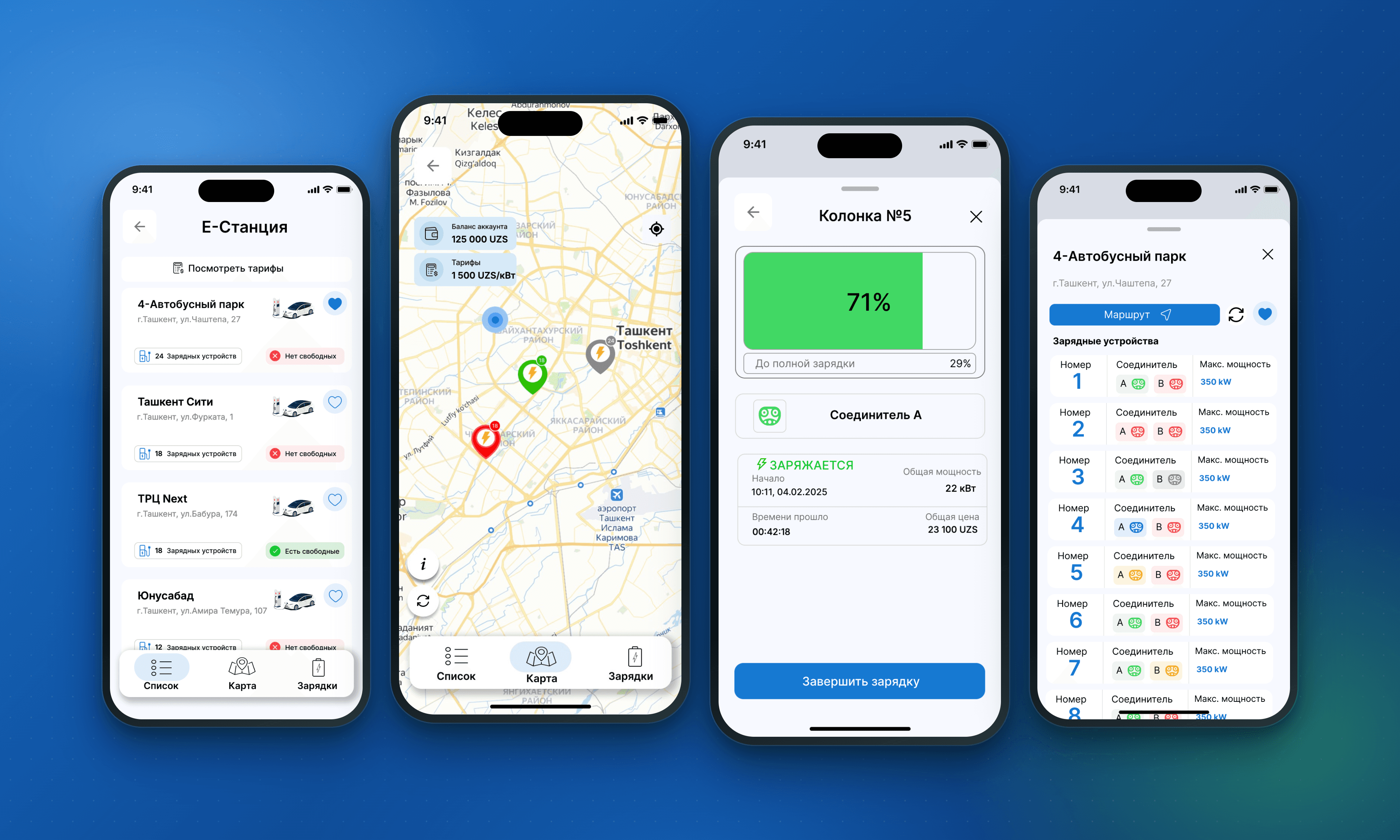
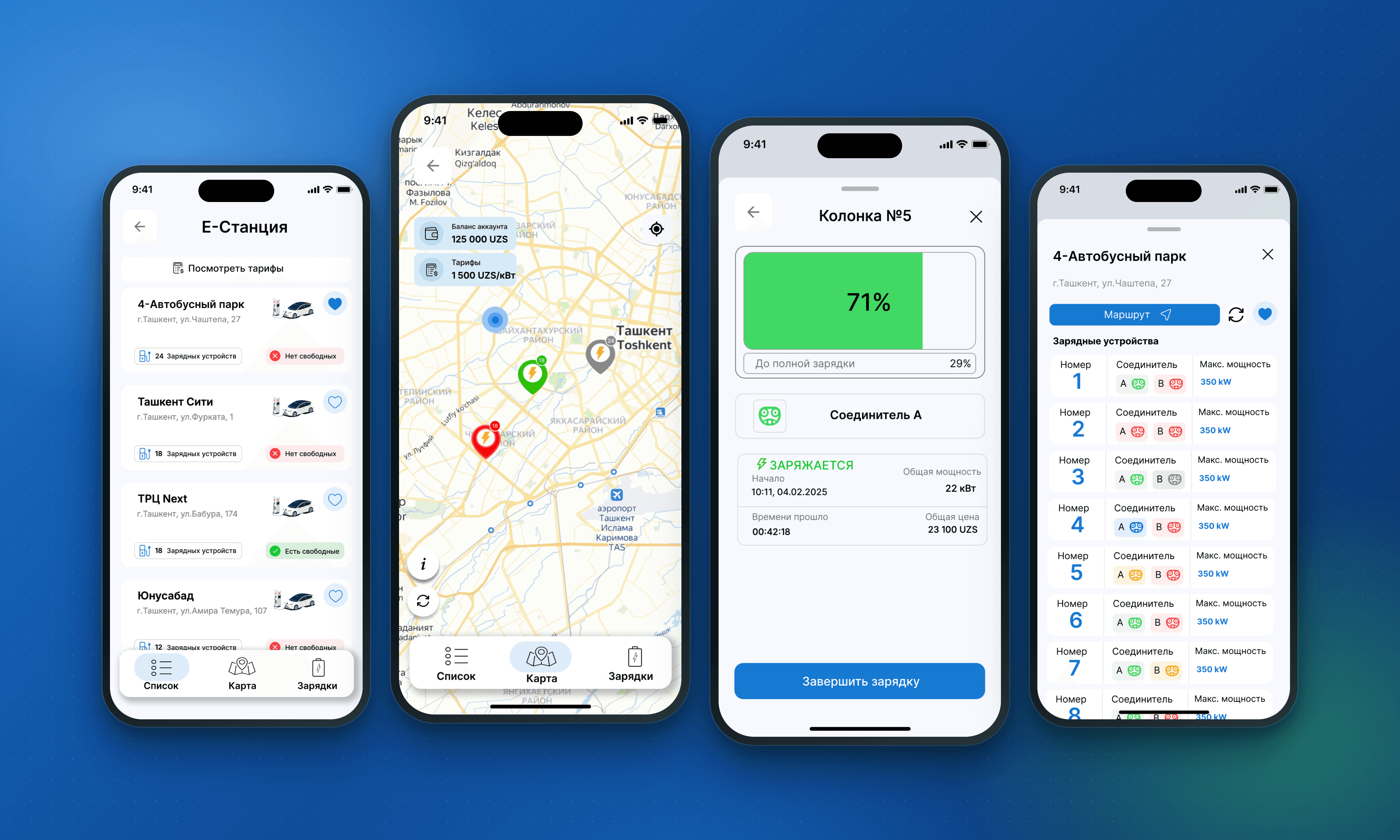
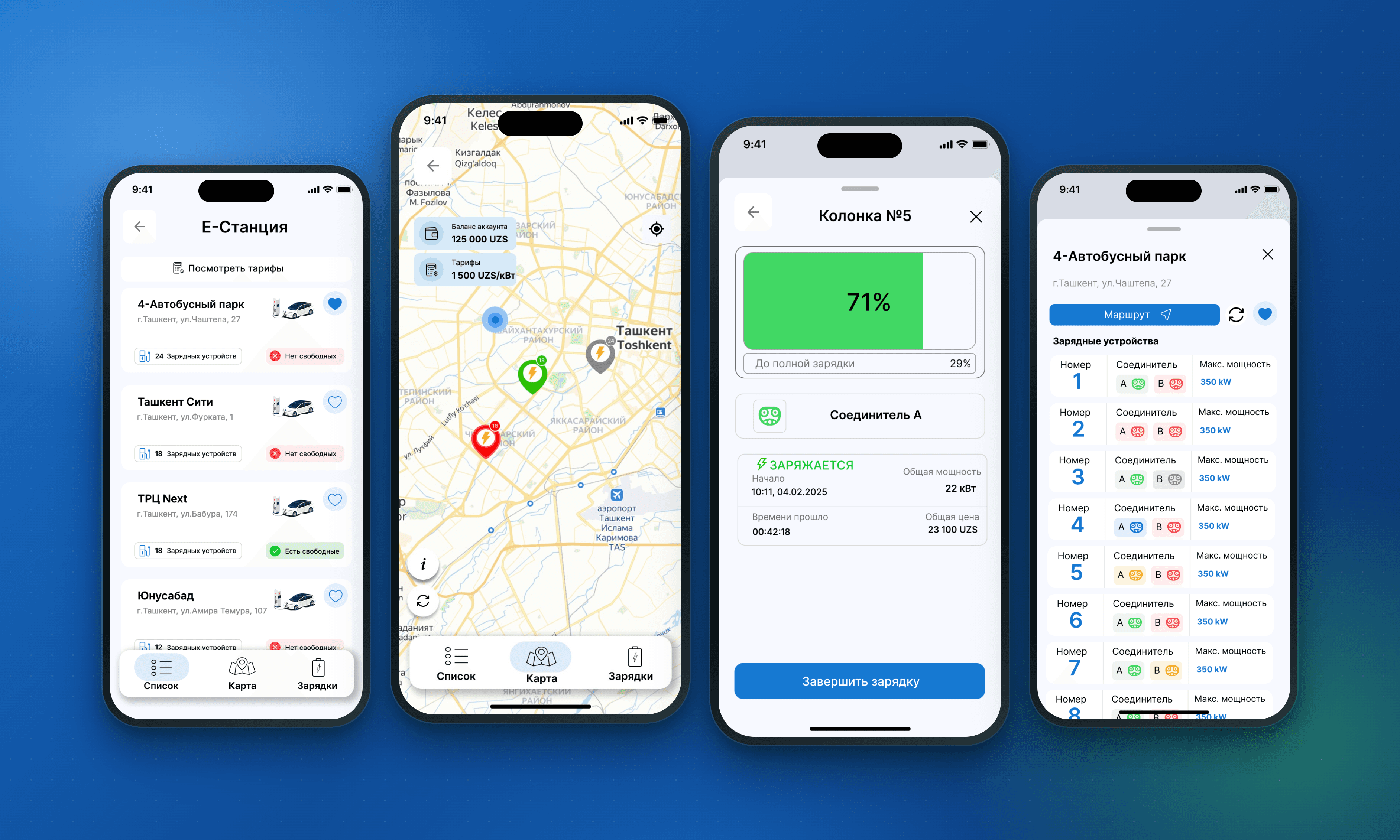
Stations appear on a map and in a list. Users view the address, device and connector status and max power, then pick a connection point. Routing and favourites make future use easier.
Time-based tariffs, adding a bank card and topping up the balance let users prepare for charging inside the app. After entering the connector code, the user starts charging and checks the request status.
The active session screen shows charge level, start time, elapsed time, power and the current amount. Finishing and stopping the charge, and checking the stop request status, continue this flow.
In E-Station, the map, balance and device actions were combined into a single mobile service. Drivers can now handle every key step, from choosing a station to finishing the charge, in one app.
Let drivers find a charging station on a map or in a list and get directions.
Clearly show station, device and connector availability before selection.
Show time-based tariffs to the user before charging starts.
Combine adding a bank card, choosing a card and topping up the balance into one flow.
Start charging via the connector code and explain the request status.
Show charge level, session time and amount on one screen and allow finishing the charge.
What we did
Building mobile apps for Android and iOS
We combined E-Station's core actions in Android and iOS apps. Users move through linked screens to choose a station, prepare their balance, connect to a connector and manage charging.
Organising station search and selection
We added a station map and list to the app. Address, availability, routing and favourites give users everything they need to pick a station in one place.
Showing tariffs and connector data
We provided time-based tariffs and device details. Device number, A and B connector status and max power are shown separately. Colour markers and disabled buttons aid understanding.
Managing cards and balance
We added adding a bank card, choosing an existing card and topping up by a given amount. Users can see their funds and prepare their balance for charging.
Tracking and finishing a charging session
We gathered charge level, start time, elapsed time, power and the current amount on one session screen. From there users finish charging; the stop request status appears on a separate screen.
Screens